

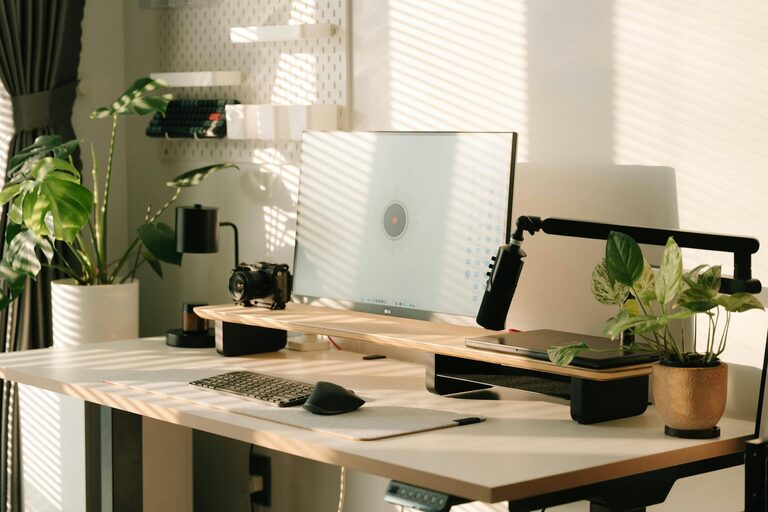
Creating a productive home office environment is essential for anyone working remotely or managing tasks from home. A well-designed workspace can greatly improve focus, reduce distractions, and enhance your overall work experience. Whether you have a dedicated room or a small corner, there are simple and effective ways to optimize your home office.
Why a Productive Home Office Matters
The home office is more than just a place to do work; it influences your mood, motivation, and efficiency. Without a clear separation between work and relaxation areas, it can be challenging to maintain a professional mindset. Setting up a space that supports productivity helps you stay organized, meet deadlines, and enjoy your workday.
Choosing the Right Location
Find a Quiet Spot
Choose a quiet area away from common household traffic to minimize interruptions. A spot with a door you can close is ideal for privacy during calls or focused tasks.
Prioritize Natural Light
Natural light boosts mood and reduces eye strain. Position your desk near a window if possible, but avoid glare on your computer screen.
Consider Space and Comfort
Ensure there’s enough room for your desk, chair, and equipment without feeling cramped. Your comfort is key to staying productive for long periods.
Investing in Ergonomic Furniture
Ergonomic Chair
Select a chair that supports your lower back and promotes good posture. Adjustable height and armrests can prevent discomfort during extended sitting.
Desk at the Right Height
Your desk should allow your forearms to rest comfortably parallel to the floor when typing. Adjustable desks or standing options can add variety to your routine.
Monitor Position
Place your monitor at eye level, about an arm’s length away, to avoid neck strain and maintain good posture.
Organizing Your Workspace
Declutter Regularly
A clutter-free desk reduces stress and distractions. Keep only the essentials within reach and store other items in drawers or shelves.
Use Storage Solutions
Invest in organizers, filing cabinets, or shelves to keep paperwork, supplies, and electronics tidy and accessible.
Cable Management
Tidy cables with clips or ties to prevent tangling and create a cleaner, safer workspace.
Establishing Effective Lighting
Combine Natural and Artificial Light
Use a mix of ambient lighting and task-specific lamps to ensure your workspace is well-lit throughout the day.
Avoid Harsh Lighting
Choose soft, neutral light bulbs that reduce glare and eye fatigue.
Position Your Desklamp Properly
A desk lamp with adjustable brightness and direction helps illuminate important areas without casting shadows.
Minimizing Distractions
Set Boundaries
Communicate your working hours to family or roommates to reduce unexpected interruptions.
Use Noise Control Tools
Consider noise-canceling headphones, white noise machines, or soft background music to help focus.
Keep Digital Distractions in Check
Limit notifications, close unused tabs, and use apps that block distracting websites during work hours.
Personalizing Your Workspace
Add Inspiring Elements
Decorate with plants, artwork, or motivational quotes that energize you without cluttering your space.
Maintain Comfort
Adjust room temperature, add cushions, or choose calming colors that help you feel relaxed and focused.
Creating a Routine
Have a Start-of-Day Ritual
Begin each day with a consistent routine to mentally prepare for work, such as a warm beverage or a brief stretch.
Take Regular Breaks
Use methods like the Pomodoro Technique—25 minutes of focused work followed by a 5-minute break—to maintain productivity and avoid burnout.
End Your Workday Clearly
Shut down your computer, tidy your desk, and transition away from work to help maintain a healthy work-life balance.
Leveraging Technology for Productivity
Invest in Reliable Equipment
A fast internet connection, quality computer, and essential peripherals can reduce frustration and downtime.
Use Productivity Tools
Calendar apps, task managers, and communication platforms keep you organized and connected.
Backup Your Work
Regularly save and backup important files to avoid data loss.
Final Thoughts
Crafting a productive home office environment involves thoughtful planning and consistent habits. By selecting the right location, investing in ergonomic furniture, organizing effectively, and minimizing distractions, you can create a space that supports your best work. Remember, the goal is to build a comfortable and inspiring workspace that makes your work-from-home experience both efficient and enjoyable.