

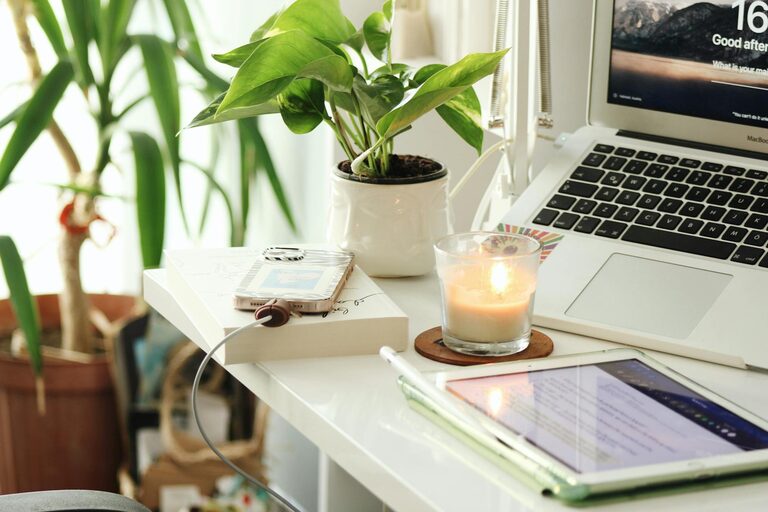
Creating a home workspace that is both relaxing and productive can seem challenging, but with the right approach, you can design an environment that supports your work and well-being. Whether you’re working remotely full-time or just occasionally need a spot to focus, your workspace plays a big role in how effectively you work and how comfortable you feel. Here are some practical tips to help you build a space where you can thrive.
Choose the Right Location
Find a Quiet, Undisturbed Spot
Start by selecting a location in your home that is relatively quiet and free from frequent distractions. Avoid high-traffic areas like the kitchen or living room if possible. A spare room, a corner of your bedroom, or a nook by a window can be ideal.
Consider Natural Light
Natural light helps improve mood and alertness. Position your desk near a window to take advantage of daylight. If natural light isn’t an option, invest in good quality lighting that mimics daylight to reduce eye strain.
Invest in Ergonomic Furniture
Comfortable Desk and Chair
Choose a desk that fits your space and organization needs. Your chair should support your back well and allow your feet to rest flat on the floor. Ergonomic chairs can prevent discomfort and improve posture.
Monitor Height and Keyboard Setup
Arrange your computer monitor at eye level to avoid neck strain. Use a keyboard and mouse setup that keeps your wrists straight and comfortable, such as an ergonomic keyboard or a separate mouse pad with wrist support.
Personalize With Calming Elements
Use Soft Colors and Textures
Soft, neutral colors or gentle blues and greens promote calmness and focus. Add cozy textures through rugs, cushions, or blankets to make the space inviting without being distracting.
Add Plants
Indoor plants improve air quality and add a touch of nature, which can boost mood and reduce stress. Choose easy-care plants like succulents, spider plants, or peace lilies.
Keep Your Workspace Organized
Declutter Regularly
A clutter-free environment helps reduce anxiety and distraction. Set aside time each day or week to tidy your desk and put away unnecessary items.
Use Storage Solutions
Incorporate shelves, drawers, and organizers to keep your papers, supplies, and gadgets in order. Label storage containers to make things easy to find.
Incorporate Technology Thoughtfully
Use Noise-Cancelling Headphones
If background noise is a distraction, noise-cancelling headphones can help create a quieter workspace. They’re also great for listening to focus-enhancing music or white noise.
Manage Cables
Keep cables organized and out of sight using clips or sleeves. This simple step maintains a clean look and prevents tangles.
Establish a Routine and Boundaries
Set Work Hours
Define clear start and end times for your workday. This helps your mind switch from “work mode” to “home mode” and prevents burnout.
Take Breaks
Schedule short breaks to stretch, move around, or relax your eyes. Techniques like the Pomodoro method, which includes focused work intervals followed by short rests, can increase productivity.
Enhance Focus With Minimal Distractions
Limit Digital Interruptions
Turn off non-essential notifications on your devices during work hours. Consider apps that block distracting websites while you work.
Use a Dedicated Workspace Only for Work
Avoid using your workspace for leisure activities like watching TV or gaming. This helps your brain associate the space with focus and productivity.
Add Inspiring and Motivational Touches
Display Personal Items Mindfully
Include a few personal items like photos, artwork, or motivational quotes that inspire you without overcrowding your desk.
Keep a Journal or Notepad Handy
Writing down ideas, tasks, or reflections can help organize your thoughts and reduce mental clutter.
—
Creating a home workspace that feels both relaxing and productive is about balancing comfort, organization, and focus. By taking small but meaningful steps, you can design a space that supports your best work and keeps you feeling calm throughout the day. Experiment with these tips and adjust your setup until it feels just right for you.