

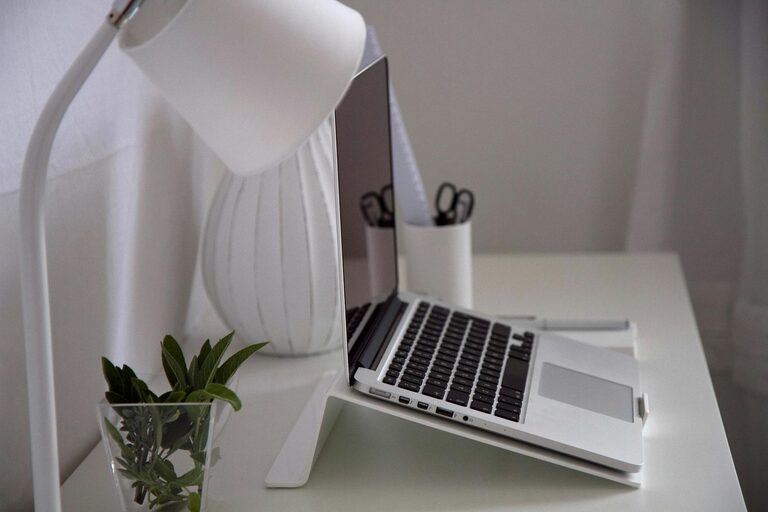
Creating an organized home office is essential for productivity, especially with more people working remotely. A tidy and well-arranged workspace helps reduce distractions, keeps your essentials within reach, and promotes a positive mindset. Whether you have a dedicated room or just a small corner, these effective tips will help you organize your home office for better focus and efficiency.
1. Choose the Right Location and Furniture
Select a Quiet, Comfortable Spot
Pick a space with minimal noise and foot traffic. Natural light is a bonus, as it can improve mood and energy levels. Make sure your chosen spot allows enough room for your desk, chair, and any other equipment you need.
Invest in Ergonomic Furniture
A comfortable chair with good back support is key to maintaining proper posture during long work hours. Select a desk that fits the space comfortably but offers enough surface area for your computer, paperwork, and office accessories.
2. Declutter Your Space Before Organizing
Start with a Clean Slate
Remove everything from your desk and storage areas. Wipe down surfaces and sort through papers, gadgets, and supplies. This step gives you a fresh perspective on what you truly need.
Keep Only Essentials
Decide which items you use daily and which can be stored elsewhere or discarded. Avoid holding onto unnecessary clutter to create a calm and inviting workspace.
3. Use Smart Storage Solutions
Utilize Vertical Space
Install wall shelves or pegboards to keep frequently used items off your desk but easily accessible. This frees up your desk surface and helps keep things tidy.
Invest in Organizers
Drawer dividers, filing trays, and small containers keep pens, paper clips, and sticky notes orderly. Label everything clearly to find items quickly without digging through clutter.
Digital Storage
Scan important documents and save them on your computer or cloud storage. This reduces paper piles and provides quick access.
4. Arrange Your Desk for Efficiency
Position Your Computer and Monitor Correctly
Place your monitor at eye level and about an arm’s length away to reduce strain. Keep your keyboard and mouse within comfortable reach.
Organize by Frequency of Use
Keep your most-used items, like notebooks, notepads, or your phone, within easy reach. Store things used less often in drawers or on shelves.
Limit Personal Items
While a few personal touches like photos or a plant can boost morale, too many items can clutter your workspace and distract you.
5. Incorporate Good Lighting
Maximize Natural Light
Set up near a window if possible to benefit from daylight. Avoid glare on screens by angling your desk or using blinds.
Add Task Lighting
A desk lamp with adjustable brightness can help during darker hours or when working on detailed tasks.
6. Create Zones for Different Activities
Dedicated Areas Help Maintain Focus
Designate spots for computer work, reading, phone calls, or creative tasks. Even in a small space, using shelves or boxes to separate supplies can establish these zones.
Keep Supplies Nearby
Store writing tools, chargers, and documents within each zone for convenience.
7. Maintain a Cleaning and Organization Routine
Daily Tidy-Up
Spend 5–10 minutes at the end of each day putting things back in place, filing papers, and clearing your desk.
Weekly Deep Clean
Dust surfaces, clean your keyboard and screen, and review files or notes to keep your space fresh and organized.
8. Personalize Your Workspace Mindfully
Use Calming Colors
Choose colors that help you feel relaxed and focused, such as light blues, greens, or neutrals.
Add Plants
Small indoor plants can improve air quality and add a cheerful touch to your office.
Avoid Overdecorating
Personalize without cluttering. Keep your space inviting but functional.
—
An organized home office boosts productivity by reducing distractions and promoting a clear mindset. By following these simple tips, you can create an efficient and comfortable workspace that supports your work-from-home lifestyle. Remember, a little effort in organizing today saves time and stress tomorrow!